

Invoice Description Field
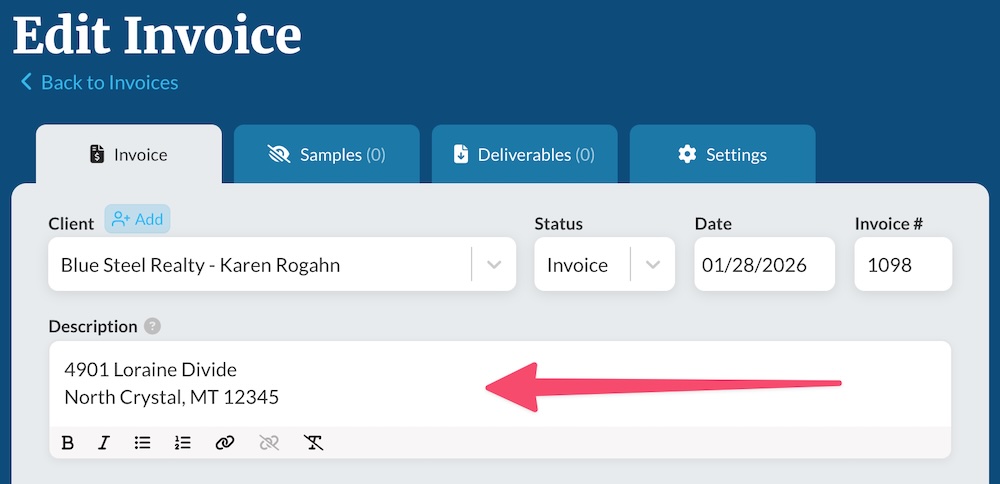
Each invoice includes a description field for providing context and information to your client about the shoot:
This is displayed on the final invoice above the line items:
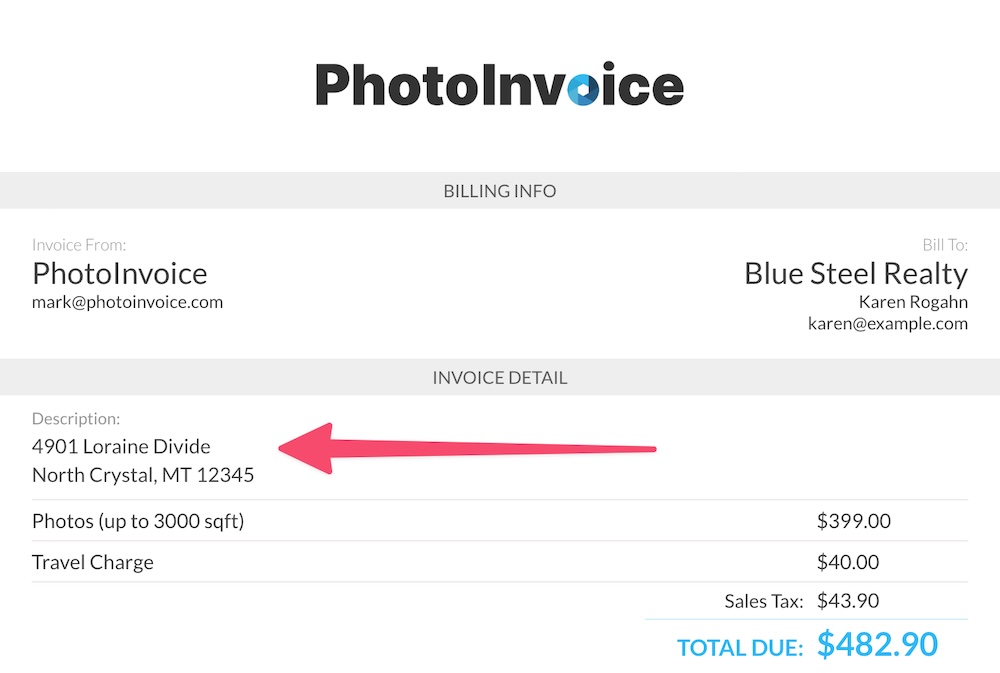
For real estate photographers this field is often used for the property address, but it can tailored to whatever purpose suits your business best.
Customizing the description field
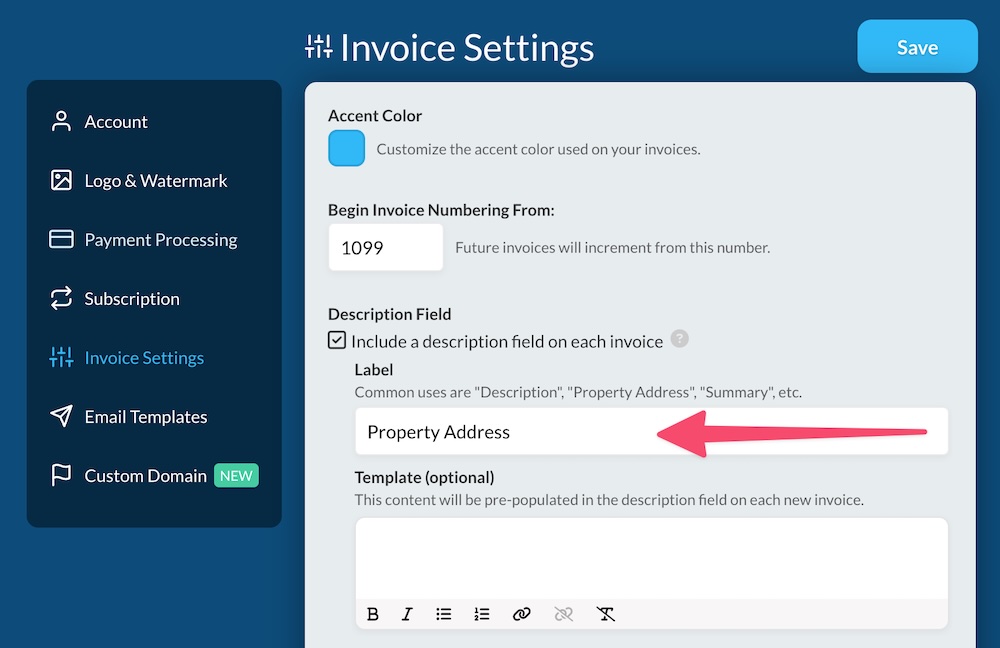
In your Invoice Settings area, you can customize the description field in three ways:
- Turn the field off (for all invoices)
- Customize the field name
- Set up a description template to populate the field with common starter content
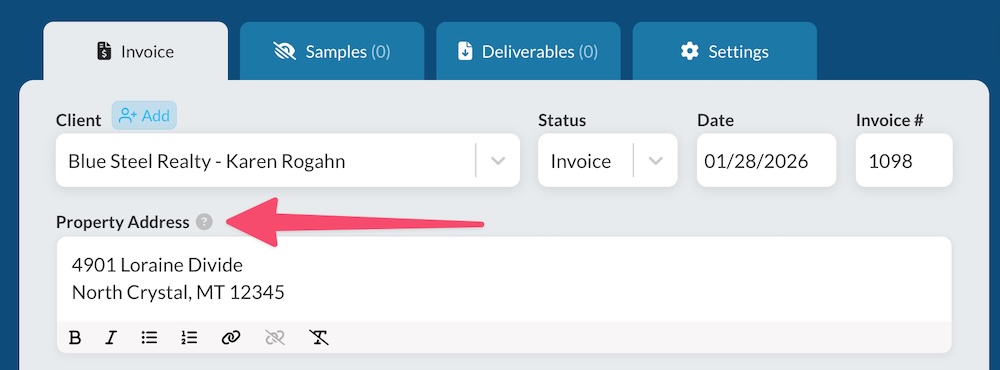
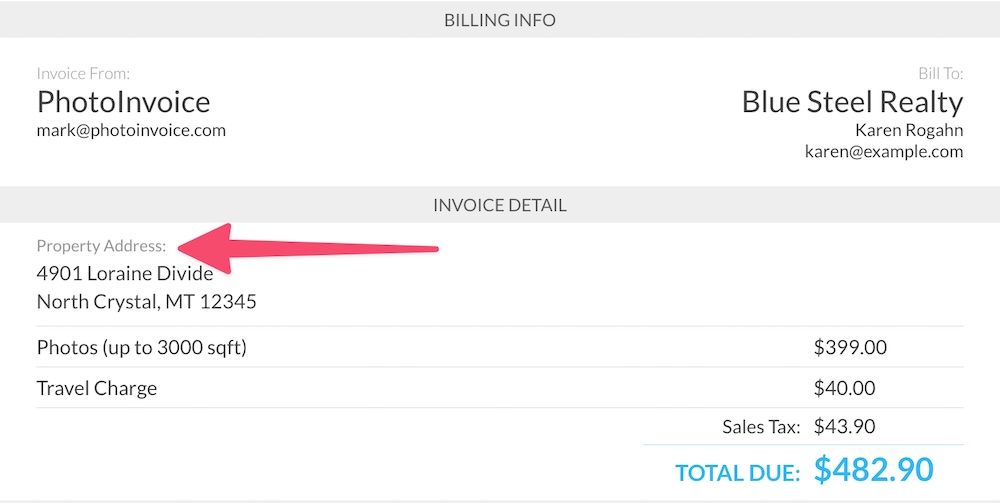
Here we've customized the name of the field to "Property Address":
And that is reflected both when creating an invoice:
And when the client is viewing the invoice:
Setting Up a Description Template
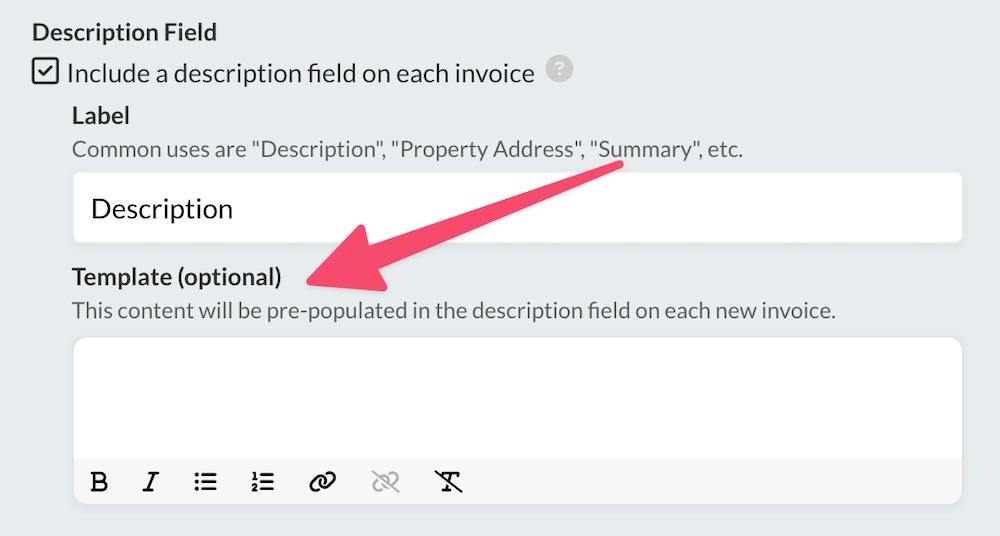
If your invoice descriptions commonly use the same content, you can save time by prefilling any repetitive parts of it by setting up a description field template.
Any content you add into the template field will be prefilled on each new invoice, so you only need to edit the parts specific to that invoice.
Some examples would be:
- If you use the description field for the shoot address, and most shoots have the same city, state, and zip, you could add that as your template.
- If all invoice descriptions include the labels "Shoot Address:" and "Other Notes:", set up those labels as the template.
You'll save yourself precious time and be creating invoices faster than ever!
Questions or suggestions? Shoot us an email at support@photoinvoice.com.